Two steps forward

Two steps forward...
I'm using the agents to refine and further develop this project! I used the bats test agent to write some tests for some of the scripts!
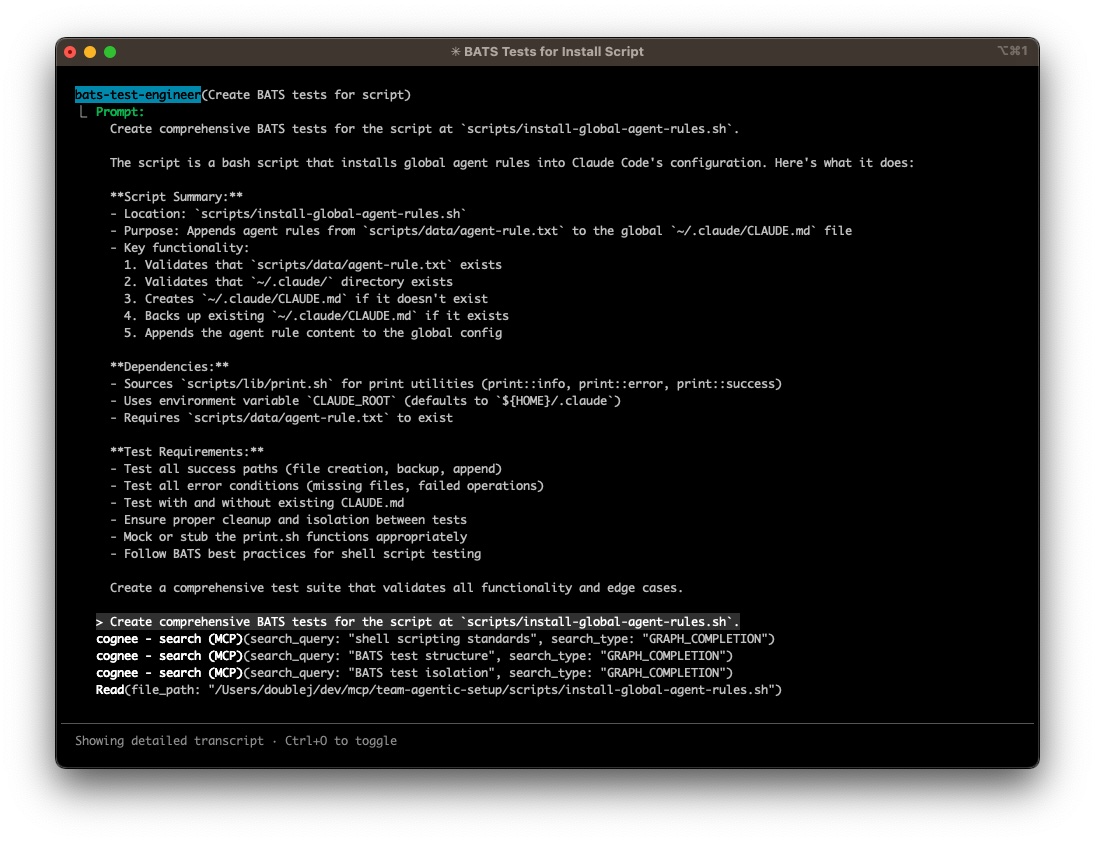
I had to do some tuning, mainly to get the agent to iterate on the tests it creates or edits until they pass.
It successfully created and ran the tests, and when a bug was found in the script it was testing, it was handed off to the shell script agent to resolve!
I then successfully used the documentation agent to update all the README files and definition files when needed. The agents are officially helping to improve themselves!
One challenge I was having at first was that Claude would always attempt to execute a request directly. I'd have to constantly tell it to use its agents. What we (Claude and I) came up with
was to create a "global rule" that gets added to the file ${HOME}/.claude/CLAUDE.md. I didn't even know there was such a file.
I wrote a script - yes, I wrote it - to create the CLAUDE.md file if it didn't exist, and then to append the rule to that file preserving any existing configuration that may already exist. I had the shell script agent code review it for me, and it did a pretty good job at pointing our weak areas, inconsistencies, and the like. I did use the bats test agent to create tests for the script.
Once that rule was configured, Claude consistently delegated to the agents! I see that as a HUGE win!
One step...sideways
My Cognee setup went off the rails yesterday when I decided to deploy it locally to figure out why the REST API seemed...flaky. Hint: it wasn't Cognee, it was a PEBKAC (Problem Exists Between Keyboard And Chair), not an issue with Cognee.
I ran into a bug in the 0.3.7 image where Cognee would silently fall back to the built-in LanceDB. I did my due diligence and worked on reproducing the bug so I could report it, provide log files, etc. I then decided that before I post the bug, I should see if someone else already has. It had, and it had been fixed in the latest version 0.3.8.
Cognee clearly says in its docs to build the docker image yourself. I decided, "Naw, I'm going to use a prebuilt image". That was my first mistake. My second faux pas was that I was trying to use an unsupported vector database, Qdrant. My third mistake (they come in threes) was that I was trying to use the same image to launch two containers; one for the mcp server, and one for the API.
I spent the rest of the afternoon figuring this out. I built two separate Cognee images, one for the mcp server, and the other for the API server. Turns out all those "extra" Dockerfiles in different directories are there intentionally. I switched from qdrant to PGVector, and all things fell into place. Amazing what can happen when you take the time to read and follow guidelines!
This solved all of my issues:
- The API health check reported back consistently.
- The API performed as expected for loading and "cognifying" the patterns.
- Claude could connect to the MCP server, and is consistently able to query it.
- A secondary benefit was that I only needed PGVector, instead of two databases; one for relational data and one for vector data. So, my docker compose file simplified even more! I LOVE when I get to simplify things!
So I'm now back on track with tuning the agents. I'm going to start working on the Go agents next. I have some older projects that need updating. Those will be a great first round of testing and tuning before I tackle a large project that I have in mind. What is that large project? It's a secret for now. If it shows some promise, I'll announce it separately.
Wish me luck!
Related: Claude Code Setup project page